
Murmur for Android
On Google Play as “Murmur: Offline Meeting Notes”
Record meetings offline. Get transcripts, action items and deadline reminders.
About Murmur for Android
Your voice never leaves your phone. Murmur turns everything you say into searchable text using AI that runs entirely on your device: not “encrypted in transit”, not “we don’t sell your data”. Your audio physically never goes anywhere.
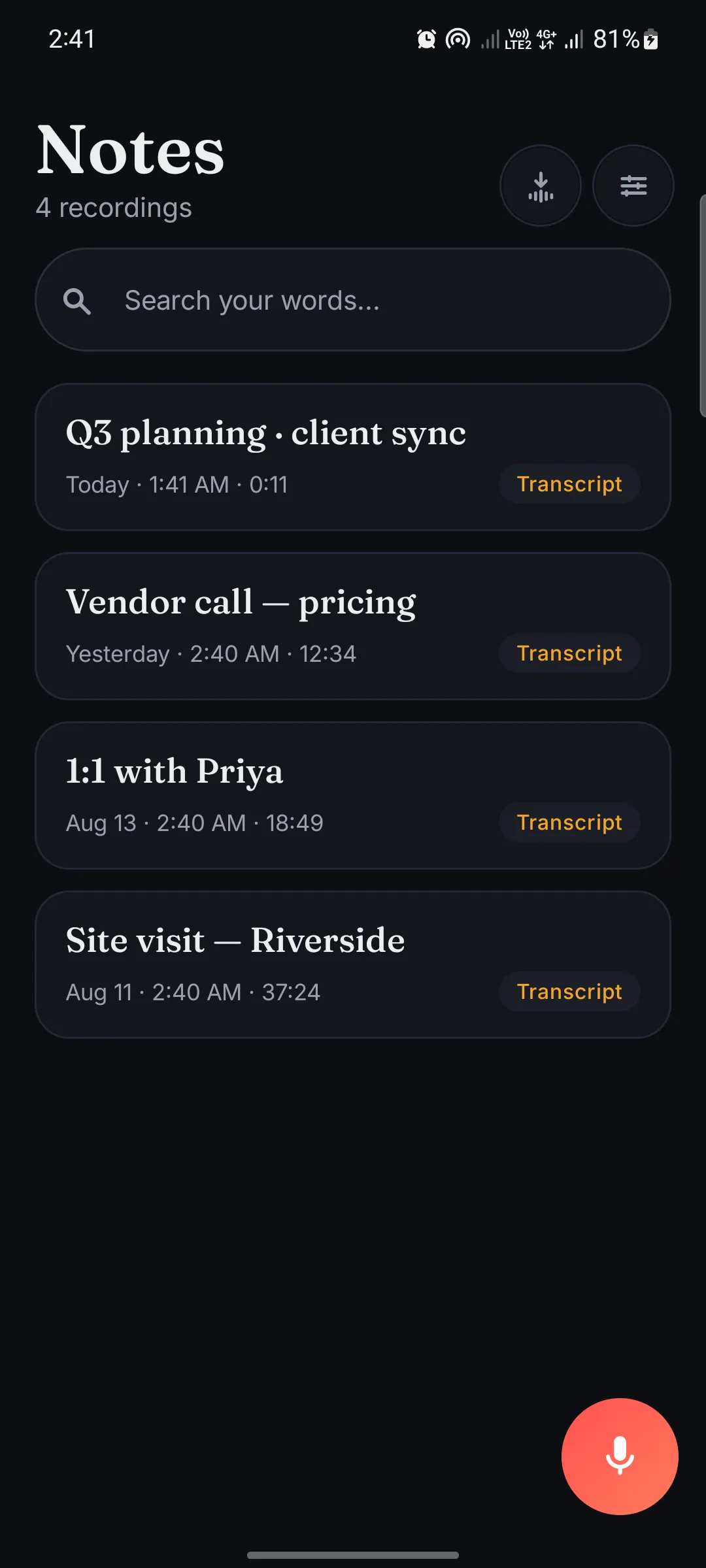
Recording is unlimited and free, and transcription happens locally, even in airplane mode. Search anything you’ve ever said, turn talk into action items with deadline reminders, and export as TXT, Markdown or SRT. No account, no sign-in, no cloud.
Transcription is free for 10 minutes a day. Murmur Pro unlocks unlimited transcription: weekly, monthly, or a one-time purchase you keep.
- Category
- Productivity
- Price
- Free
- In-app purchases
- Yes (Murmur Pro)
- Ads
- No ads
- Platform
- Android
- Also on
- Mac (separate app)
- Developer
- TriCode Studio
Features
What Murmur for Android does
Record without limits
Unlimited recording. Pause and resume, keep going with the screen off or while using other apps, and import existing audio files.
Transcripts made on your phone
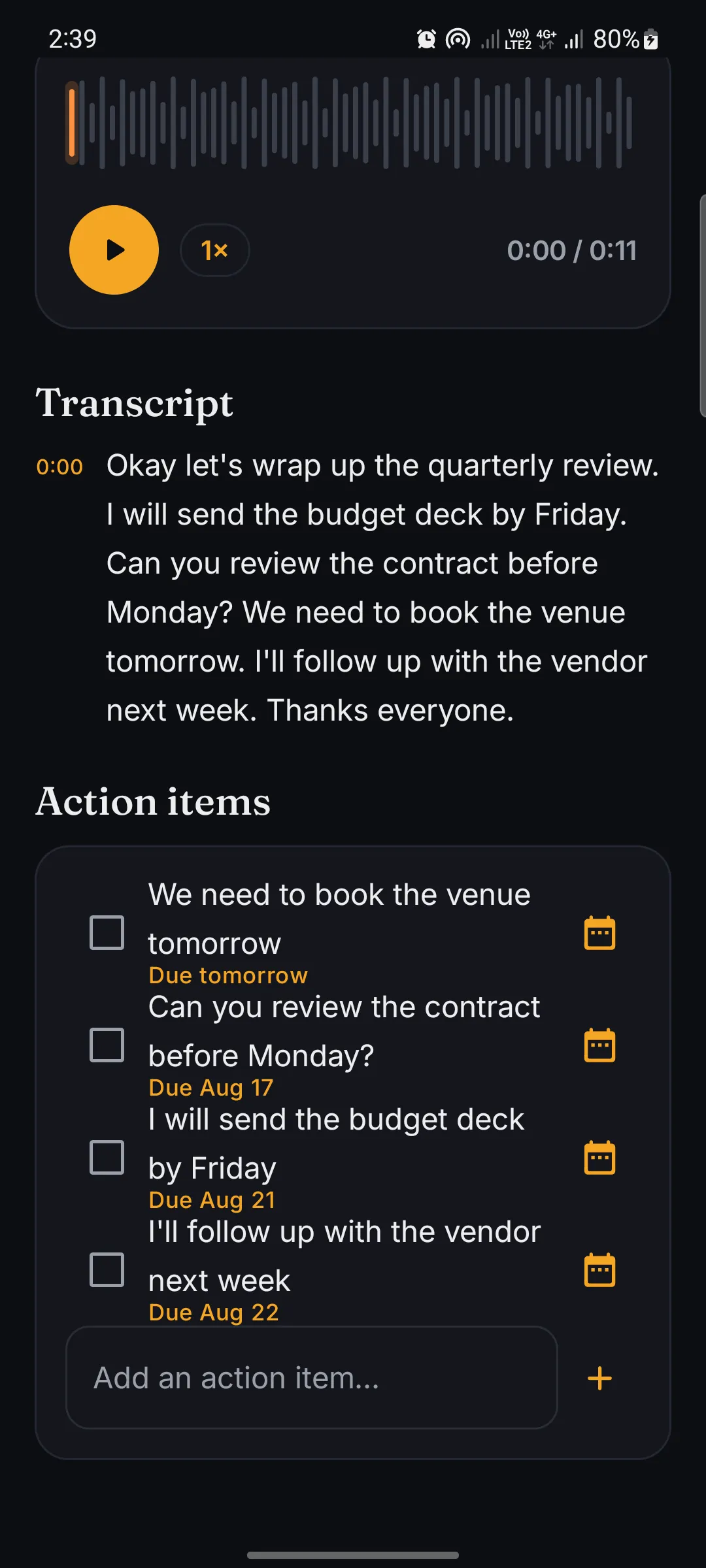
One small model download, then every transcript is created locally, in airplane mode, anywhere. Tap any line to jump the audio to that moment.
Find anything you ever said
Every word is indexed on your device. Search a term and jump straight to the recording where you said it, with no cloud lookup involved.
Turn talk into action
Follow-ups become checklists attached to each note, with deadline reminders. Export transcripts as TXT, Markdown or SRT subtitles, and share text or audio anywhere.
99 languages, all offline
English, اردو, हिन्दी, العربية, Español, Français and 90+ more, transcribed on-device with no internet connection required.
Private by architecture
No cloud, no account, no uploads. Audio and transcripts stay in the app’s private storage; the only network use is the one-time model download.

Legal
How Murmur for Android handles your data, and the terms for using it.
More from TriCode Studio


